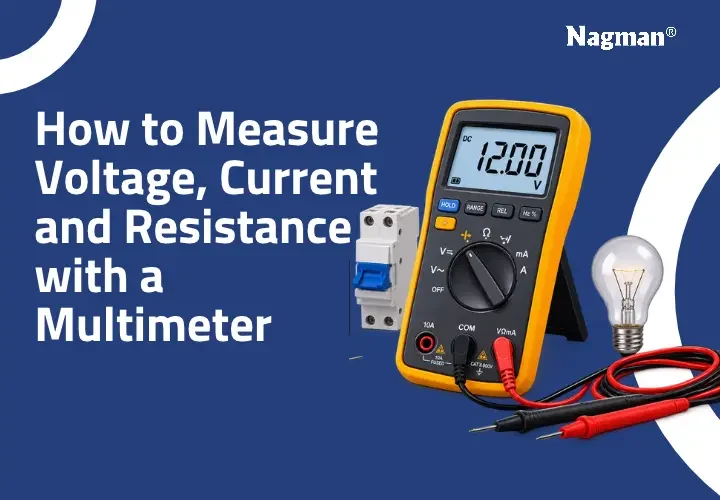
Electrical measurements are essential for testing, troubleshooting and maintaining electrical and electronic equipment. A multimeter is a versatile testing instrument that helps electricians, engineers and technicians measure important electrical parameters such as voltage, current and resistance.
Understanding the correct measurement procedure is important for obtaining reliable readings and preventing damage to electrical equipment. Whether you are testing a battery, checking a power supply or troubleshooting an industrial electrical circuit, knowing how to use a multimeter correctly makes the process easier and safer.
In this guide, Nagman Instruments explains how to measure voltage, current and resistance with a multimeter, including AC and DC measurement procedures, common mistakes and essential safety precautions.
What Is a Multimeter?
A multimeter is an electrical testing instrument used to measure voltage, current and resistance in electrical and electronic circuits. Depending on its features, it can also measure continuity, frequency, capacitance and other electrical parameters.
A digital multimeter displays measurement values on a screen, making readings easier to understand. It is widely used by electricians, electrical engineers, instrumentation professionals and maintenance technicians.
The three primary measurement functions are:
- Voltage (V): Measures the electrical potential difference between two points.
- Current (A): Measures the flow of electric charge through a circuit.
- Resistance (Ω): Measures the opposition to the flow of electric current.
For professional testing applications, selecting a suitable Digital Multimeter with the required measurement range, accuracy and safety ratings is important.
How to Measure Voltage with a Multimeter?
How to measure voltage with a multimeter? Select the appropriate AC or DC voltage mode, connect the black probe to COM and the red probe to the voltage terminal, then place the probes across the two measurement points in parallel. Select a suitable range and read the displayed value.
Voltage measurement is commonly performed when checking batteries, power supplies, electrical outlets and industrial equipment.
How to Measure AC Voltage with a Multimeter
AC (Alternating Current) voltage changes direction periodically and is commonly found in household and industrial electrical supplies.
Follow these steps:
- Connect the black test probe to the COM terminal.
- Connect the red test probe to the voltage measurement terminal.
- Select the AC voltage (V~) setting.
- Choose a suitable measurement range if the instrument is not autoranging.
- Place the probes across the two measurement points in parallel.
- Observe the displayed voltage reading.
For example, when testing an AC power supply, the multimeter displays the potential difference between the selected measurement points.
Always use a properly rated instrument and insulated probes. Live AC measurements can be hazardous and should only be performed by qualified personnel following appropriate electrical safety procedures.
How to Measure DC Voltage
DC (Direct Current) voltage flows in one direction and is commonly found in batteries, electronic circuits and DC power supplies.
Follow these steps:
- Connect the black probe to COM.
- Connect the red probe to the voltage terminal.
- Select the DC voltage (V⎓) setting.
- Select a suitable measurement range.
- Connect the red probe to the positive point and the black probe to the negative point.
- Observe the displayed reading.
A negative reading generally indicates that the probes are connected with reversed polarity.
Correct voltage measurement helps identify voltage drops, supply variations and potential electrical problems.
How to Measure Current with a Multimeter?
How to measure current using a multimeter? Select the correct AC or DC current mode, connect the red probe to the appropriate current input terminal and connect the meter in series with the circuit. Start with the highest suitable current range and observe the displayed reading.
Current measurement is useful for checking electrical consumption, identifying abnormal current flow and troubleshooting electrical circuits.
How to Measure AC Current
AC current measurement is used in electrical distribution systems, industrial equipment and AC-powered devices.
Follow these steps:
- Verify that the instrument supports AC current measurement.
- Check the current rating and input terminal specifications.
- Switch off the circuit before making connections.
- Connect the black probe to COM and the red probe to the appropriate current terminal.
- Select the AC current (A~) mode.
- Connect the meter in series with the circuit.
- Restore power and observe the displayed reading.
For applications involving higher currents, a suitably rated clamp meter may be more appropriate because it measures current without requiring the circuit conductor to be disconnected.
How to Measure DC Current with a Multimeter
DC current measurement is commonly used when testing batteries, electronic circuits, DC power supplies and electrical components.
Follow these steps:
- Switch off the circuit before changing connections.
- Connect the black probe to COM.
- Connect the red probe to the appropriate current terminal.
- Select the DC current (A⎓) mode.
- Break the circuit at the intended measurement point.
- Connect the multimeter in series.
- Restore power and observe the current reading.
Always verify that the expected current is within the instrument’s rated input limits. Never connect a conventional multimeter in parallel across a live supply while it is configured for current measurement.
How to Measure Resistance with a Multimeter?
How to measure resistance with a multimeter? Switch off the power supply, isolate the component if necessary, discharge capacitors safely, select the resistance (Ω) mode and connect the probes across the component terminals. Read the resistance value displayed on the instrument.
Resistance measurement is commonly used to test resistors, heating elements, wiring connections and other electrical components.
Steps to Measure Resistance
- Switch off the power supply completely.
- Verify that the circuit is de-energized.
- Discharge capacitors using an appropriate safe procedure.
- Disconnect the component if parallel circuit paths may affect the reading.
- Insert the black probe into COM.
- Insert the red probe into the voltage/resistance terminal.
- Select the resistance (Ω) mode.
- Place the probes across the component terminals.
- Observe the displayed resistance value.
Resistance is measured in ohms (Ω). An OL or overload indication may mean the resistance exceeds the selected range or that the circuit is open.
Never perform resistance or continuity measurements on an energized circuit. This can produce incorrect readings and damage the instrument.
Common Multimeter Symbols Explained
Understanding multimeter symbols helps users select the correct measurement function and avoid incorrect connections.
| Symbol | Meaning | Application |
| V~ | AC voltage | Measuring alternating voltage |
| V⎓ | DC voltage | Measuring direct voltage |
| A~ | AC current | Measuring alternating current |
| A⎓ | DC current | Measuring direct current |
| Ω | Resistance | Testing electrical resistance |
| Continuity symbol | Continuity test | Checking electrical connections |
| Hz | Frequency | Measuring signal frequency |
Symbol appearance and available functions may vary depending on the instrument model. Always refer to the manufacturer’s operating manual.
Common Mistakes to Avoid When Using a Multimeter
Incorrect settings and probe connections can result in inaccurate readings or electrical hazards.
Here are some common mistakes to avoid:
- Selecting the wrong AC or DC measurement mode.
- Connecting the red probe to the wrong input terminal.
- Measuring current by connecting the meter in parallel.
- Measuring resistance while the circuit is powered.
- Exceeding the instrument’s rated voltage or current.
- Using damaged test leads or probes.
- Ignoring the instrument’s measurement category and safety ratings.
- Failing to check the instrument’s condition before testing.
Before you check voltage with multimeter, verify the selected function, measurement range and probe connections.
Safety Precautions While Measuring Electrical Parameters
Electrical measurement requires proper handling and suitable testing equipment. Following safety precautions helps protect both the user and the instrument.
Consider these precautions:
- Use an instrument with suitable voltage, current and measurement category ratings.
- Inspect test leads, probes and insulation before use.
- Never exceed the manufacturer’s specified input limits.
- Use the correct input terminal for each measurement.
- Avoid touching exposed conductive parts during live measurements.
- Switch off power before changing circuit connections whenever possible.
- Never perform resistance or continuity testing on energized circuits.
- Follow the manufacturer’s operating instructions.
Why Measurement Accuracy Matters in Electrical Testing
Reliable electrical readings are important for troubleshooting, equipment maintenance and quality control. However, measurement results can be influenced by instrument accuracy, resolution, environmental conditions, probe resistance and measurement technique.
Measurement Uncertainty is an important concept when evaluating the reliability of measurement results. It describes the range of values within which the measured quantity is reasonably expected to lie, based on the measurement process and available information.
For professional testing and calibration applications, understanding measurement uncertainty helps users interpret readings and evaluate the reliability of measurement results.
Frequently Asked Questions
1. How to check voltage using a multimeter?
Select the appropriate AC or DC voltage setting, connect the probes to COM and the voltage terminal, and place them across the two measurement points in parallel. Read the displayed voltage.
2. Can a multimeter measure both AC and DC voltage?
Yes. Most digital multimeters support both AC and DC voltage measurement. Select the appropriate mode according to the electrical supply being tested.
3. How do you measure current using a multimeter?
Select the correct current mode, use the appropriate current input terminal and connect the meter in series with the circuit. Ensure that the expected current is within the instrument’s rated limits.
4. How do you test resistance using a multimeter?
Switch off and isolate the circuit, select the resistance mode and connect the probes across the component terminals. The displayed value indicates its resistance in ohms.
5. What is the difference between AC and DC voltage?
AC voltage periodically changes direction and magnitude, while DC voltage maintains a consistent polarity and flows in one direction.
6. What does OL mean on a multimeter?
OL generally indicates an overload or out-of-range condition. In resistance mode, it may indicate an open circuit or resistance beyond the selected measurement range.
7. Why is my multimeter showing a negative voltage reading?
A negative DC voltage reading usually means the test probes are connected with reversed polarity. It does not necessarily indicate a faulty circuit.
Choose Reliable Test and Measurement Instruments from Nagman Instruments
Accurate electrical testing depends on selecting suitable instruments, following correct measurement procedures and understanding instrument specifications.
Nagman Instruments has been serving the calibration and test and measurement industry since 1972. With experience in calibration solutions and industrial measurement applications, Nagman offers a range of instruments designed for professional testing requirements.
Whether you need electrical testing equipment, calibration solutions or measurement support, selecting the right instrument is important for obtaining reliable results.
Looking for dependable test and measurement solutions?
Explore Nagman Instruments’ range of test and measuring instruments and contact the team for product information and technical assistance.
Visit Nagman Instruments to explore suitable measurement and calibration solutions for your application.